Stop ending every Friday unsure where the week went.
A structured system for managing what you're actually working on, what matters most, and what you have legitimate grounds to push back on — built for professionals who have more work than capacity.
One-time payment. Yours forever.
- ✓Weekly Priority Matrix
- ✓Capacity Planner
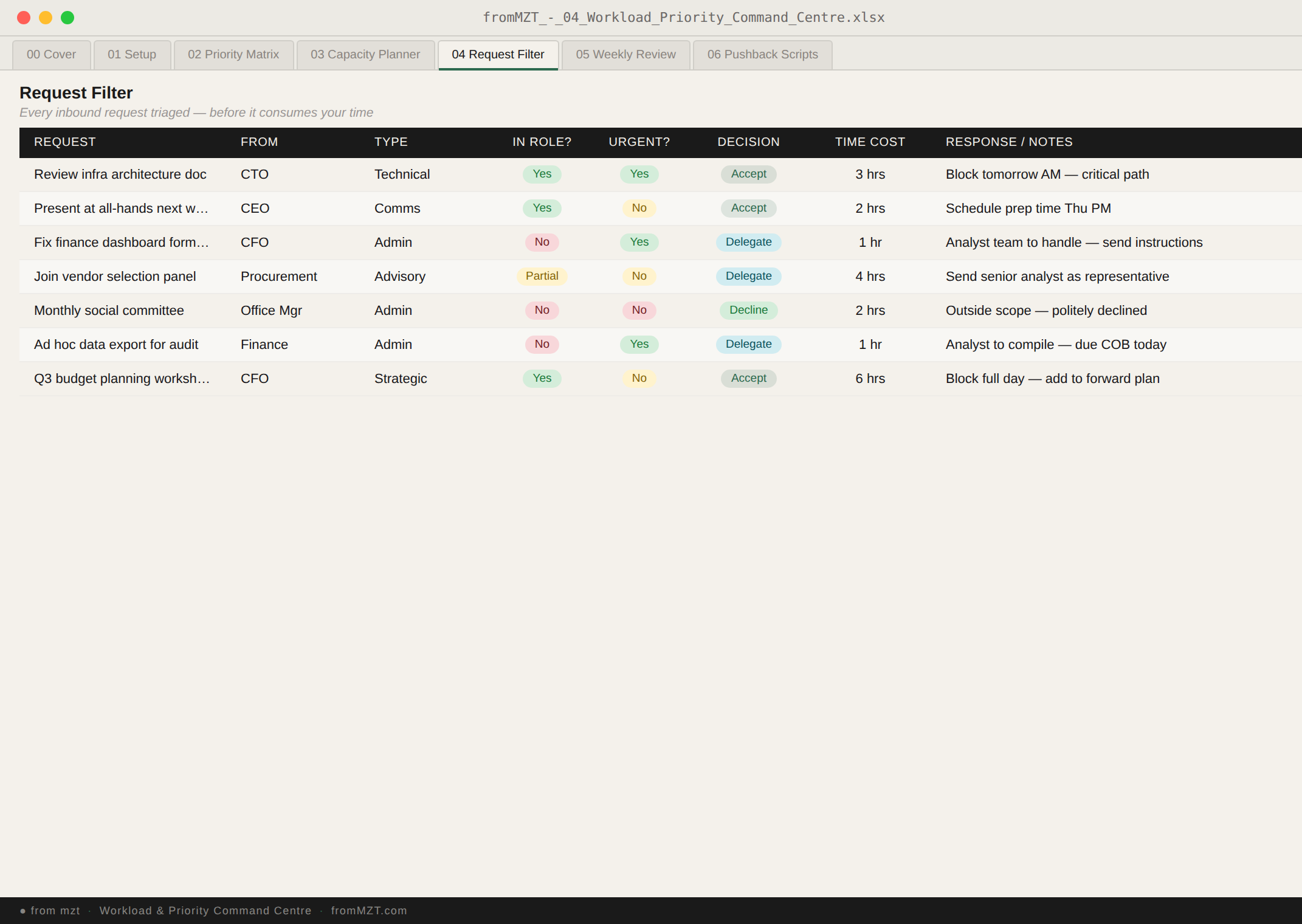
- ✓Incoming Request Filter
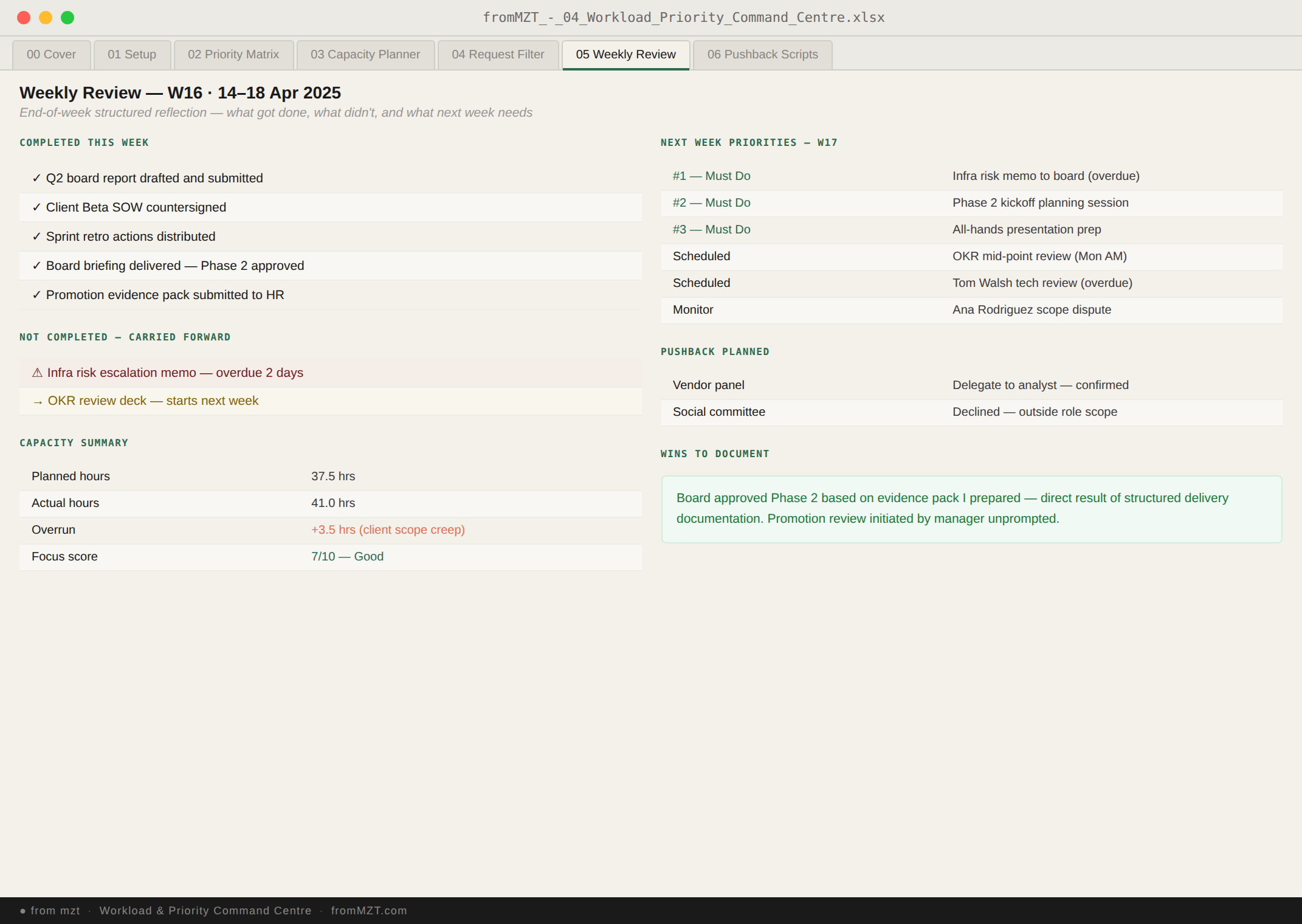
- ✓End-of-Week Review
- ✓Pushback Script Builder
- ✓Visibility Report Generator
Busy and effective are not the same thing — and most systems don't help you tell them apart.
You're responding to everything. You're in every meeting. Your inbox is always open. You end every day having done things — but the things that actually matter haven't moved.
The problem isn't discipline or time management. It's that you have no structured way to separate urgent from important, or to distinguish what you should be doing from what's just loudly in front of you.
And when your manager asks what you've been working on, you have a long list of reactive tasks rather than a clear story about progress on the things that matter.
The numbers behind the problem — and why it matters.
Five tabs. Everything you're carrying — prioritised, planned, and ready to report.
swipe to explore tabs
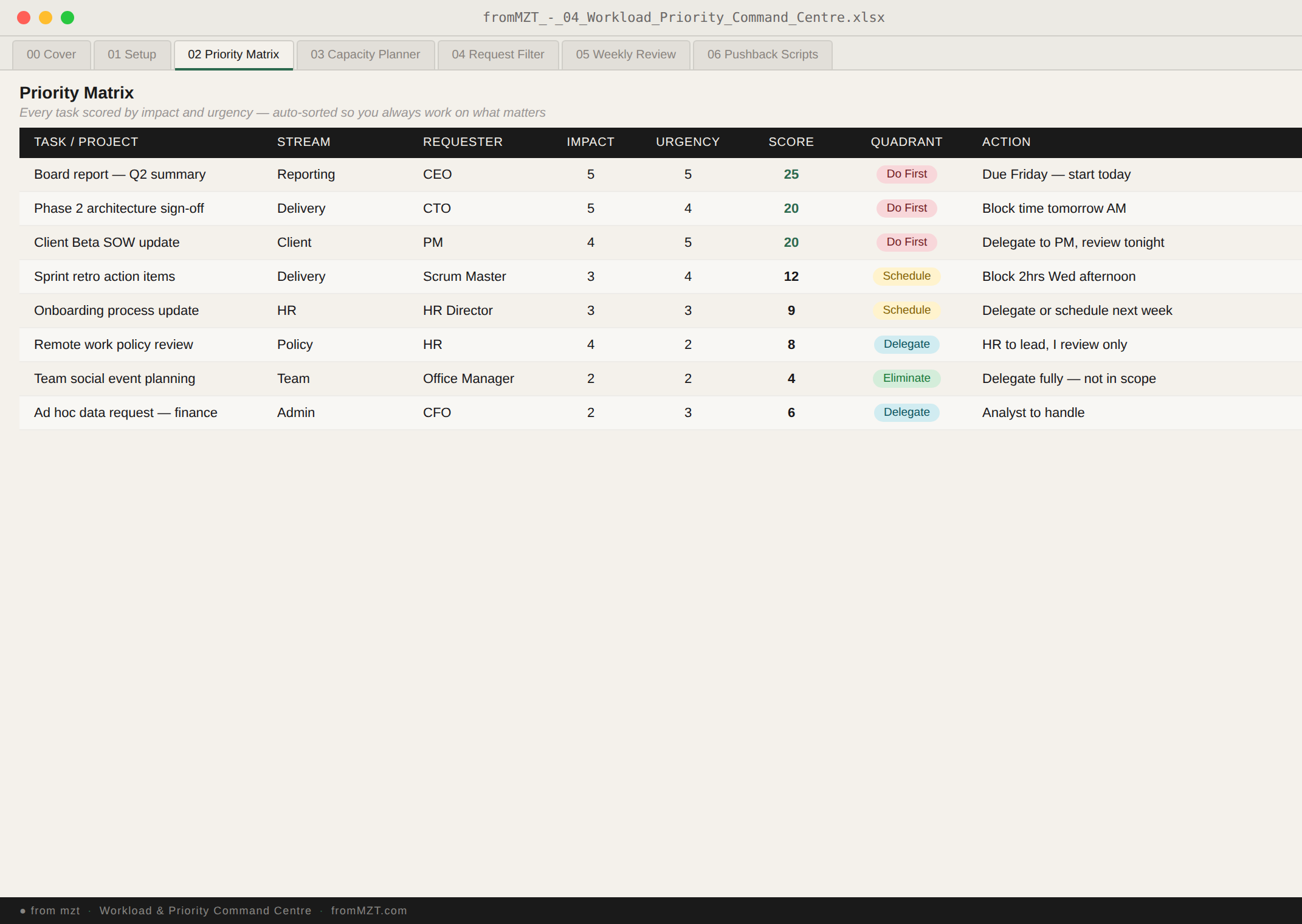
Task & Priority Log
Log every task with urgency, impact, and effort. Priority Score auto-calculates — so when everything feels urgent, the numbers tell you what to actually do first.
The honest answer to "what are you working on and what comes first?"
- Task / deliverable, project, and category
- Urgency and Impact (1–5) — Priority Score = Urgency × Impact
- Effort hours and due date
- Status: Not Started / In Progress / Completed / Blocked
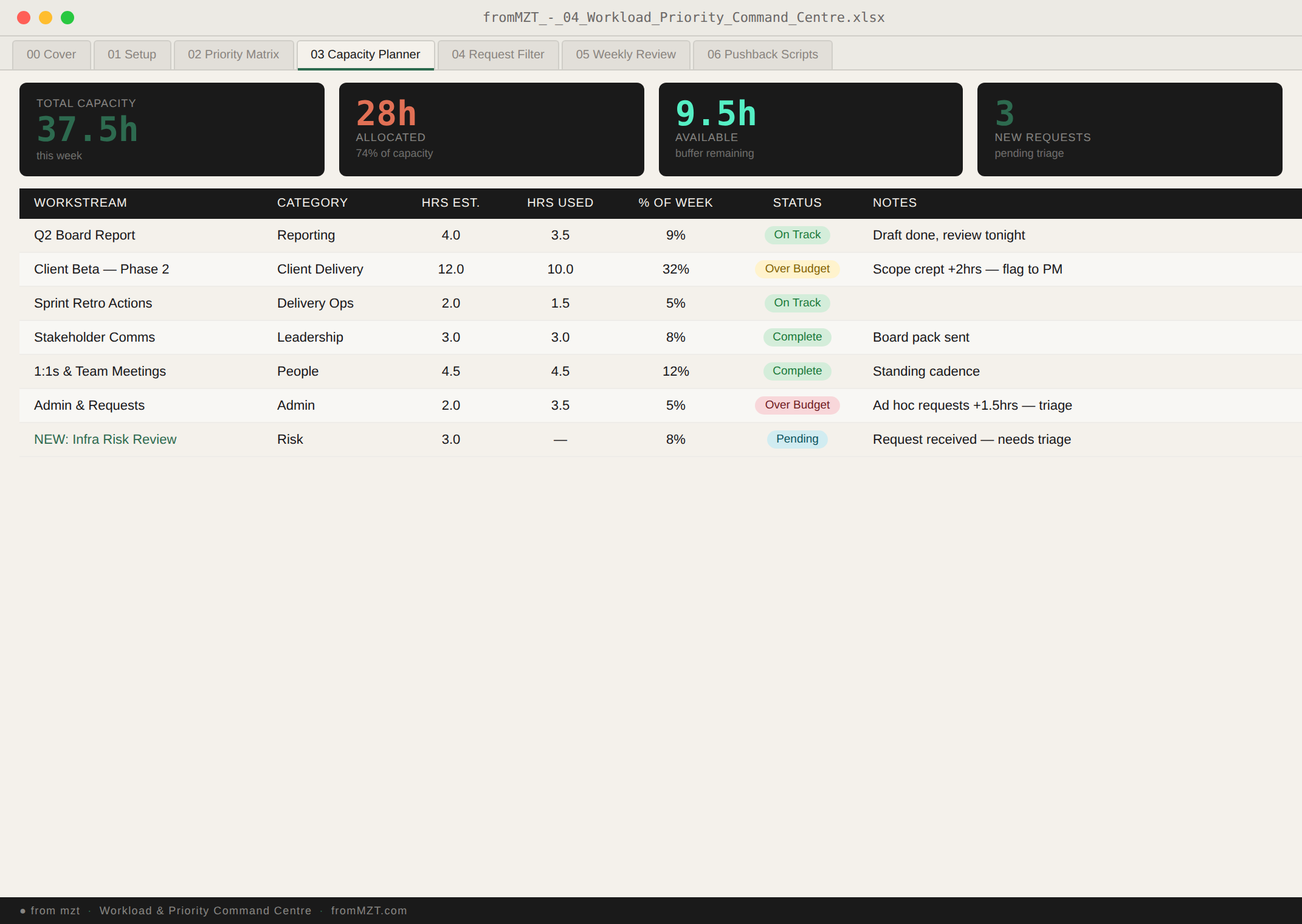
Capacity Planner
Set your available hours per week. The planner auto-calculates allocated hours from your Task Log and flags overloaded weeks before they become crisis weeks.
The difference between knowing you're overloaded and being able to prove it.
- Available hours per week (your input)
- Allocated hours auto-calculated from task effort
- Utilisation percentage per week
- Overloaded weeks flagged — use this to escalate scope
Workload Heat Map
Task count by project and week — your visual workload snapshot. At a glance: which projects are consuming most of your bandwidth, and when are the crunch periods coming.
Your workload, visible before it becomes unmanageable.
- Task count per project per week
- Critical and high-priority task callouts
- Blocked task count
- Period comparison view
Blocker Register
Log every blocker the moment it appears. Owner, escalation path, and resolution status in one view. Unlogged blockers are invisible to everyone — including the people who could resolve them.
The documentation that turns a complaint into an escalation.
- Blocker description and date identified
- Owner and escalation contact
- Status: Open / Escalated / Resolved
- Impact on tasks and deadlines linked to Task Log
Weekly Status Report
Five minutes every Friday. Auto-populated from your Task Log, Capacity Planner, and Blocker Register. Same format every week — fill in the three control fields, copy, send.
The weekly update that shows your manager exactly what they need to see.
- Tasks completed, in progress, and not started
- Capacity utilisation summary
- Open blockers and escalation status
- Three control fields: period, name, manager — everything else auto-fills
Real situations this was designed to solve.
Three separate stakeholders have told you their thing is the priority this week. You're trying to do all of it. None of it is actually getting done properly.
Your priority matrix has your actual top three. Your capacity planner shows the numbers. You have a principled conversation about sequencing instead of scrambling.
A senior person has asked you to take on something significant. You're already at capacity. You say yes anyway, and then fail to deliver two things instead of one.
Your capacity planner shows your current commitments. You have a pushback script for exactly this situation. You have a constructive conversation before you commit.
You had a genuinely productive week. But your manager's impression is that you've been quiet and reactive. You can't point to what you achieved without sounding defensive.
Your weekly visibility report already went to your manager on Friday afternoon. They know what moved, what you prioritised, and why.
It's 5pm Friday. You've been flat-out all week. You have no idea what you actually accomplished. You feel exhausted and vaguely behind.
Your end-of-week review takes 15 minutes. You know what moved, what you're carrying forward, and what you're deliberately dropping. The week has a shape.